



Additional Tools & Materials: scissors, yarn, tape, camera, Adobe Photoshop
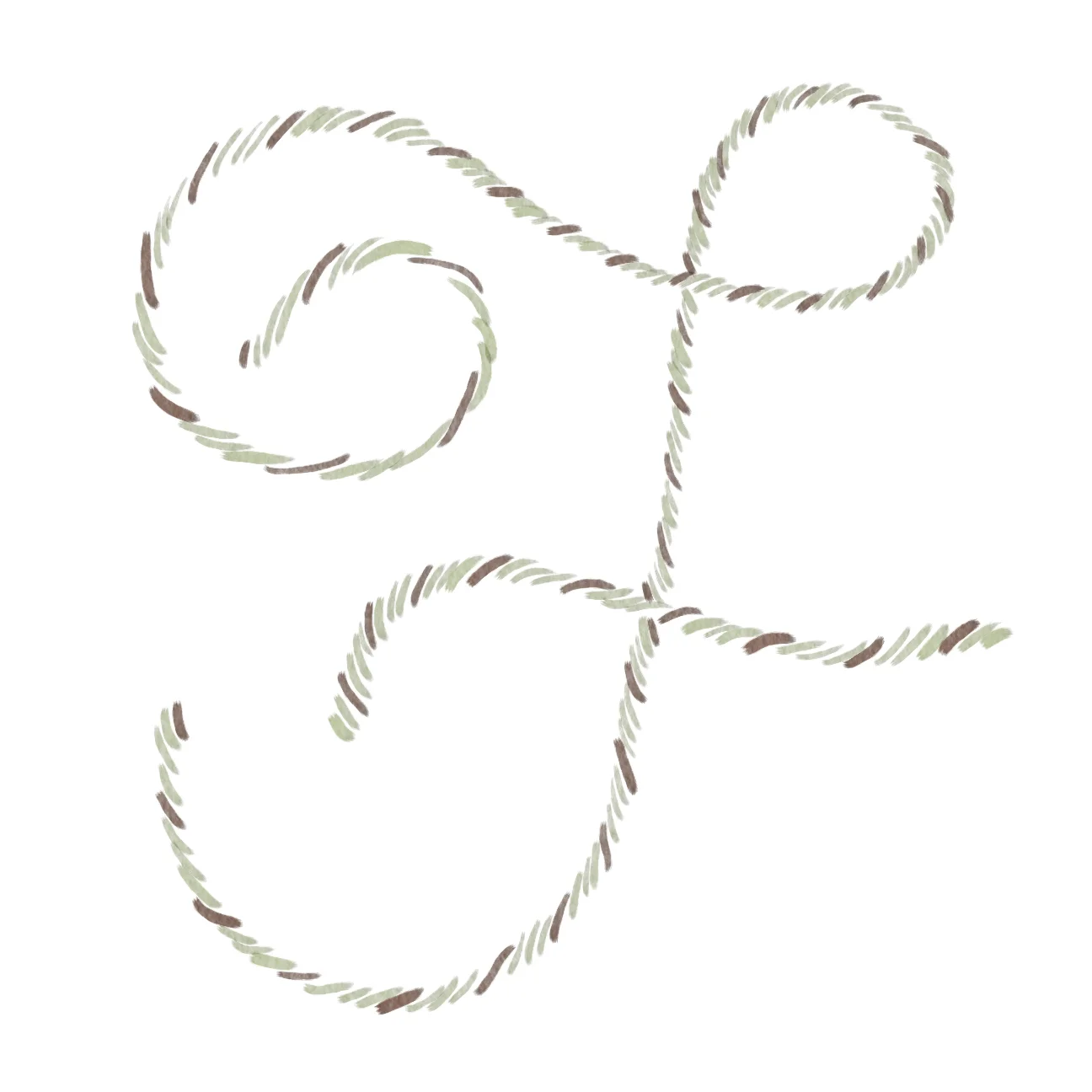
To create this letter, I combined yarn and computer hardware - in this case, a Wacom Bamboo drawing tablet. I started by constructing several different letter Fs from lengths of yarn on white paper. The texture of the yarn sometimes didn't want to stay put on the paper - so in a few images you can see that I taped the yarn down to hold it in place. Once I had a variety of letters to work with, I took photos then experimented with recreating the texture of the yarn with Photoshop brushes by hand using my drawing tablet. Unfortunately, I couldn't find any realistic looking "yarn" brushes for Photoshop, so instead I tried several soft watercolor and dry brush settings. I also played with things like strokes and shadows (see image 3) but ultimately I thought the layers of watercolor brushes in image 1 was the most successful.
The biggest challenge with this letter was drawing on the tablet. I haven't had it long, and I'm not yet comfortable with the sensation, or the disconnect between drawing on one surface but seeing the results appear on a different screen. It was a good exercise for me because I had to change the direction of my strokes and evenly space the cords that form the yarn.
This letter is successful, I believe, because it does suggest yarn, even though the photo of the yarn is not visible. Using the photo as a template to recreate the yarn's texture was an effective way for me to draw what I saw, not what I thought I should see. That's always been a challenge for me in drawing - draw the lines, not the thing.
Additional Tools & Materials: scissors, yarn, tape, camera, Adobe Photoshop
To create this letter, I combined yarn and computer hardware - in this case, a Wacom Bamboo drawing tablet. I started by constructing several different letter Fs from lengths of yarn on white paper. The texture of the yarn sometimes didn't want to stay put on the paper - so in a few images you can see that I taped the yarn down to hold it in place. Once I had a variety of letters to work with, I took photos then experimented with recreating the texture of the yarn with Photoshop brushes by hand using my drawing tablet. Unfortunately, I couldn't find any realistic looking "yarn" brushes for Photoshop, so instead I tried several soft watercolor and dry brush settings. I also played with things like strokes and shadows (see image 3) but ultimately I thought the layers of watercolor brushes in image 1 was the most successful.
The biggest challenge with this letter was drawing on the tablet. I haven't had it long, and I'm not yet comfortable with the sensation, or the disconnect between drawing on one surface but seeing the results appear on a different screen. It was a good exercise for me because I had to change the direction of my strokes and evenly space the cords that form the yarn.
This letter is successful, I believe, because it does suggest yarn, even though the photo of the yarn is not visible. Using the photo as a template to recreate the yarn's texture was an effective way for me to draw what I saw, not what I thought I should see. That's always been a challenge for me in drawing - draw the lines, not the thing.
Quisque iaculis facilisis lacinia. Mauris euismod pellentesque tellus sit amet mollis.